Got duplicate transactions? That’ll happen if you continue to manually record transactions when you have a linked Account using the Premium plan, or if you use the Upload Bank File Tool.
Up until now, the only way to deal with those duplicates was to delete the manual entry or the imported one.
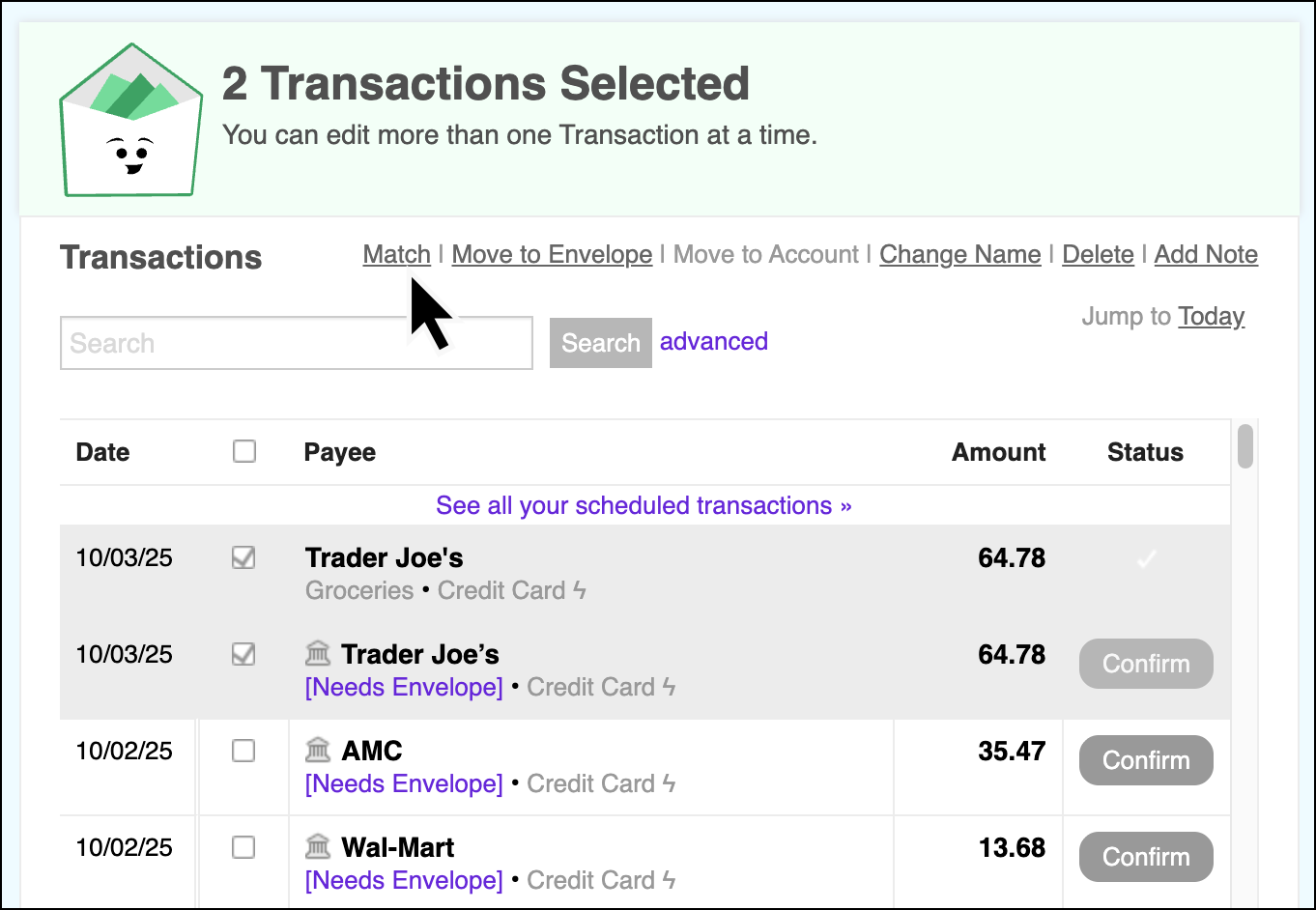
Now, you can manually Match these entries together to create a single merged transaction.
I am using a web browser in desktop view on my phone and “Match” is not showing as an option. I have tried using different browsers, i.e. Samsung Internet, Chrome, and Mozilla Firefox, and it is still not an option. I do have the premium plan and I use Bank Sync.
Hi @dj01 - You’ll only be able to make matches from certain views. This particular screenshot is from the ‘Confirm’ screen.
Once there, click on your manual entry and on the corresponding imported transaction that you’re merging together, and you should see the ‘Match’ button appear.
 I obviously didn’t notice that there are transactions selected in that screenshot. Thank you!