When changing a transaction to an account transfer, I get the ability to select the other account, but the Type field remains at “Select Type” and the transaction cannot be saved/confirmed.
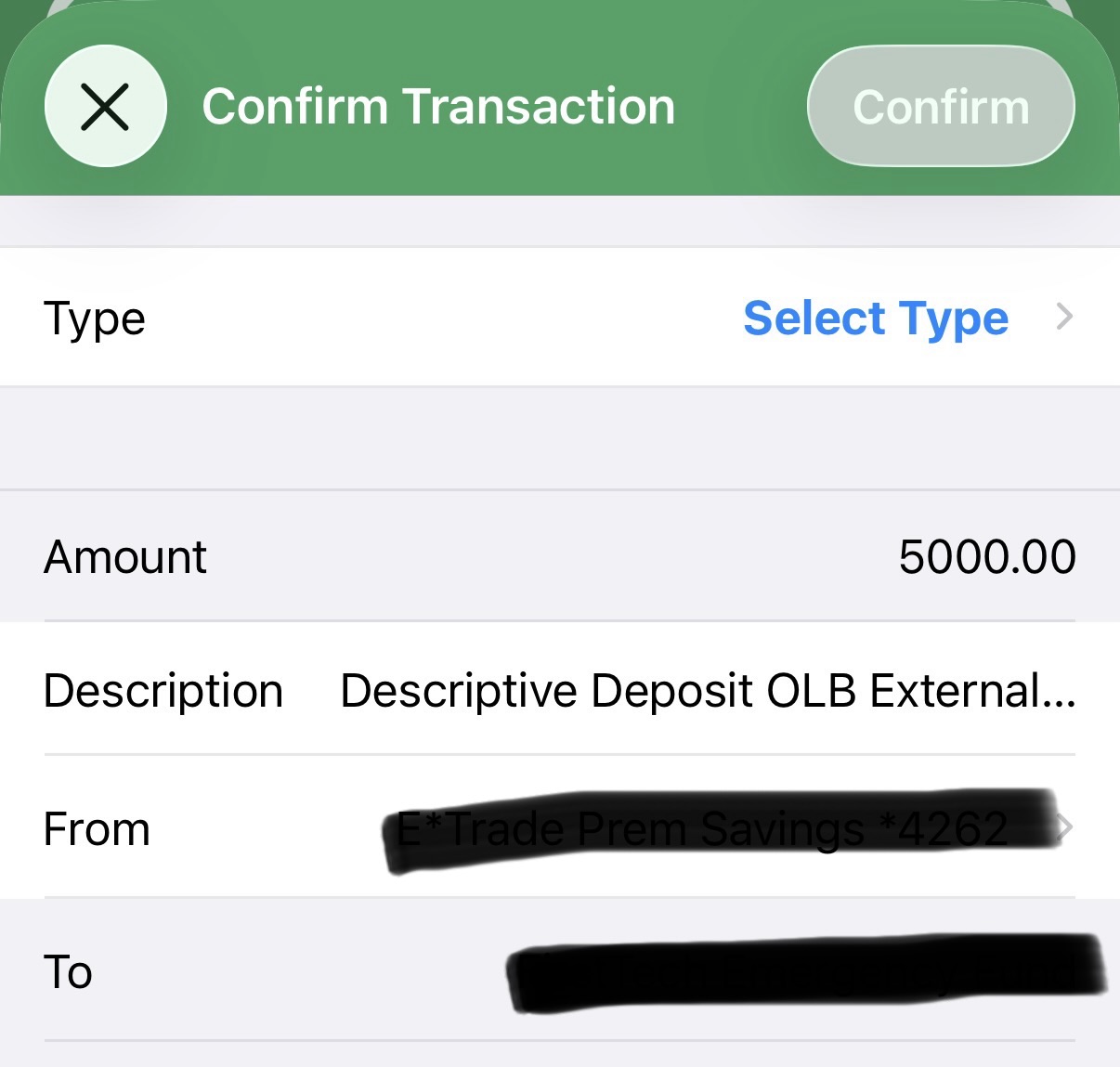
I received the other side of this transaction from the account the funds were transferred from. When I change that transaction type to Transfer, I get a pop up “uh oh! It looks like something is wrong with this transaction.”
Hi @alanmichelle,
Thank you for bringing this to our attention and sorry for the trouble!
We were able to reproduce the bug and are currently working on fixing it. In the meantime, you should be able to use iOS matching where you can match both the negative and positive side to turn this into a transfer or you can go onto the web app and change type as workarounds.
We appreciate your patience,
Chloe
Thank you. I don’t see that matching is the right solution. I have two tracked accounts and two transactions, one debit and one a credit, and both are imported transactions, not a manual one. For transfers, one of them is updated to a transfer and the other transaction is deleted, because the singular account transfer now is a debit and credit in a single transaction.
Also this thread isn’t visible to others because?
I went back to using the match feature and now understand that it can also work with two imported transactions. Using this method I now have an account transfer linking the two just as you suggested. Thank you.
1 Like