I am now regularly using the CSV import (I reconcile multiple bank accounts, and all of them have different formats, so I wanted to use a single consistent format, hence CSV).
Importing CSV bank transactions works well. Here are a couple of items that I would like to suggest:
-
Include a “Notes” column: a couple of columns are currently supported. I believe it would be very useful to include a column for transaction notes, that would be appended to existing transactions, as it is already done when bulk editing transactions from the main menu.
This is useful to include content from bank transactions that are cumbersome to input manually (ex: legal business name when different from general consumer payee name, exchange rate when paying foreign currencies etc.). -
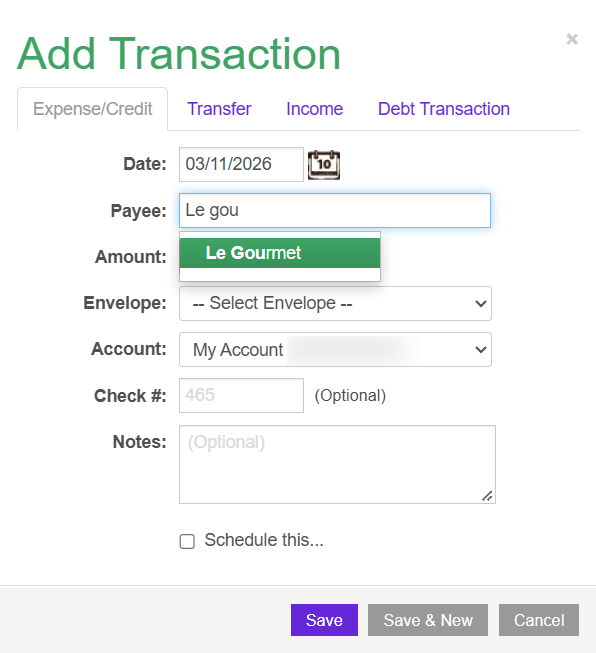
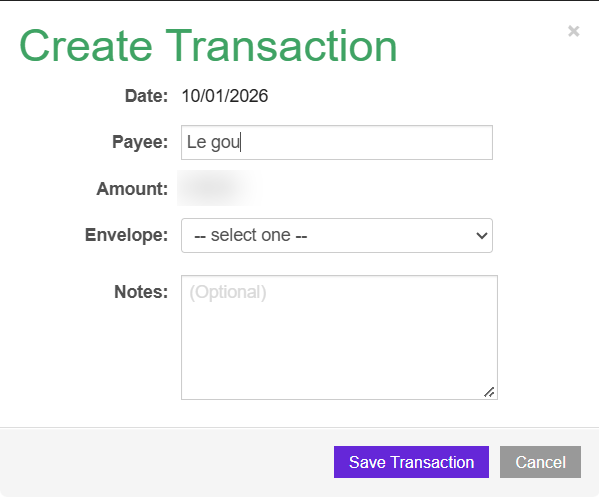
Payee name autocompletion: When creating Goodbudget transactions during bank transactions import (dragging from left to right), it would be very helpful to enable Payee name autocompletion (see screenshots).
Add Transaction from main menu (autocompletion available):
Create Transaction from Import (autocompletion not available):
-
Payee-to-envelope mapping: When creating Goodbudget transactions during bank transaction import (dragging from left to right), it would be very helpful to enable payee name-to-envelope mapping.
There are 2 use cases:-
What already works: A mapping already exists from the Bank transaction business name to the Goodbudget payee name from previously imported transactions.
Example: Bank transaction “LEGAL BUSINESS CORPORATION INC” → Drag left to right → Automatically renamed to “Company” (because this has already been done before).What does not work: Applying the same mappings within the same import session.
Example:- Drag left-to-right transaction 1 from CORP, then rename the Goodbudget payee name and assign an envelope.
- Then drag left-to-right transaction 2, still from CORP: transaction info (payee name & envelope) from transaction 1 is not applied.
Use case: This is very useful when there are multiple transactions with the same merchant from the bank transactions.
-
Linked to Feature Request 2 above: if (when) Payee name autocompletion is enabled, the associated Envelope should be applied in the “Create Transaction” menu.
-
I hope this could help others!